
The latest Citylogix release is live, and it’s a good one. We focused on the things that come up most in day-to-day operations: smarter scheduling, cleaner reporting, and a better experience for field teams on mobile.
Here’s what’s new.
Smarter Inspection Scheduling
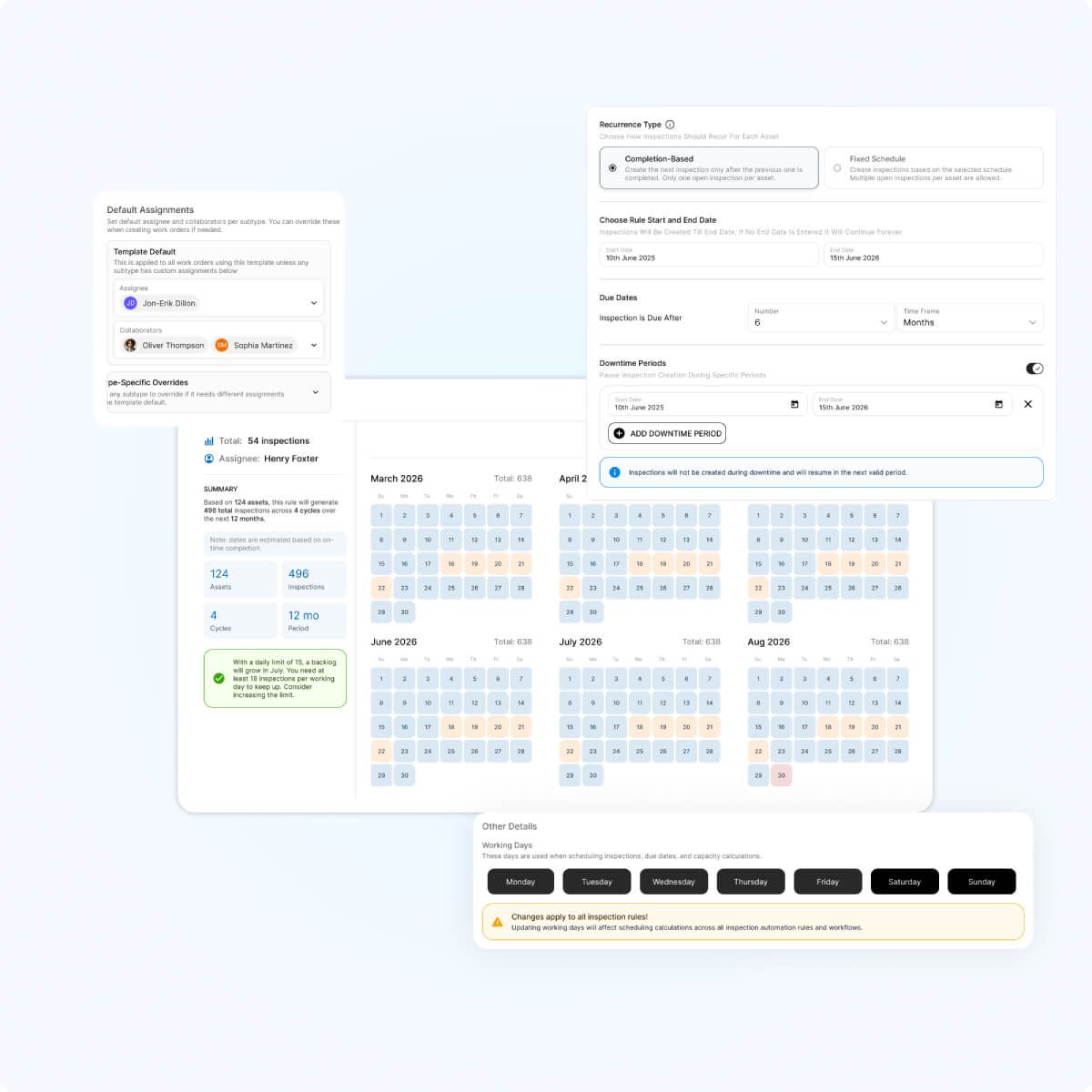
Inspections now work the way your organization actually does. The scheduling engine respects downtime windows and working-day calendars, and handles completion-based recurrence, so you won’t end up with duplicate open inspections stacking up. If your agency has seasonal operations like snow, parks, or sidewalks, this one’s especially relevant.
Compliance, Tracked Automatically
There’s now a Compliance column right in Asset Inventory, and every inspection rule carries a compliance flag. Directors and managers can see at a glance whether SLAs are being met, without pulling a separate report. It’s the kind of visibility that used to require extra steps.
Bulk Editing for Work Orders and Inspections
You can now select multiple records and update status, priority, due date, assignee, or collaborators all at once. Group permissions still apply. For teams managing high volumes of work, this is a real time-saver.
Cleaner, More Useful Notifications
We streamlined email notifications: one email per action, no alerts for things you did yourself, and clearer subject lines on assignments and collaborator adds. This came directly from feedback we’ve heard across a lot of teams, and it should make a noticeable difference for adoption.
Views as Dashboard Widgets
Any saved view can now become a dashboard widget in one click, with filters, groupings, and chart type all carried over. It bridges the gap between the person building the view and the stakeholder who just wants to see it on their dashboard.
Open API Now Supports Write Actions
The Open API now supports create, update, and close actions on Work Orders, Inspections, and Service Requests, not just reads. This opens the door to deeper integration conversations. Worth noting: actual integrations still need scoped work per vendor, but the API capability is no longer the blocker.
Mobile Updates
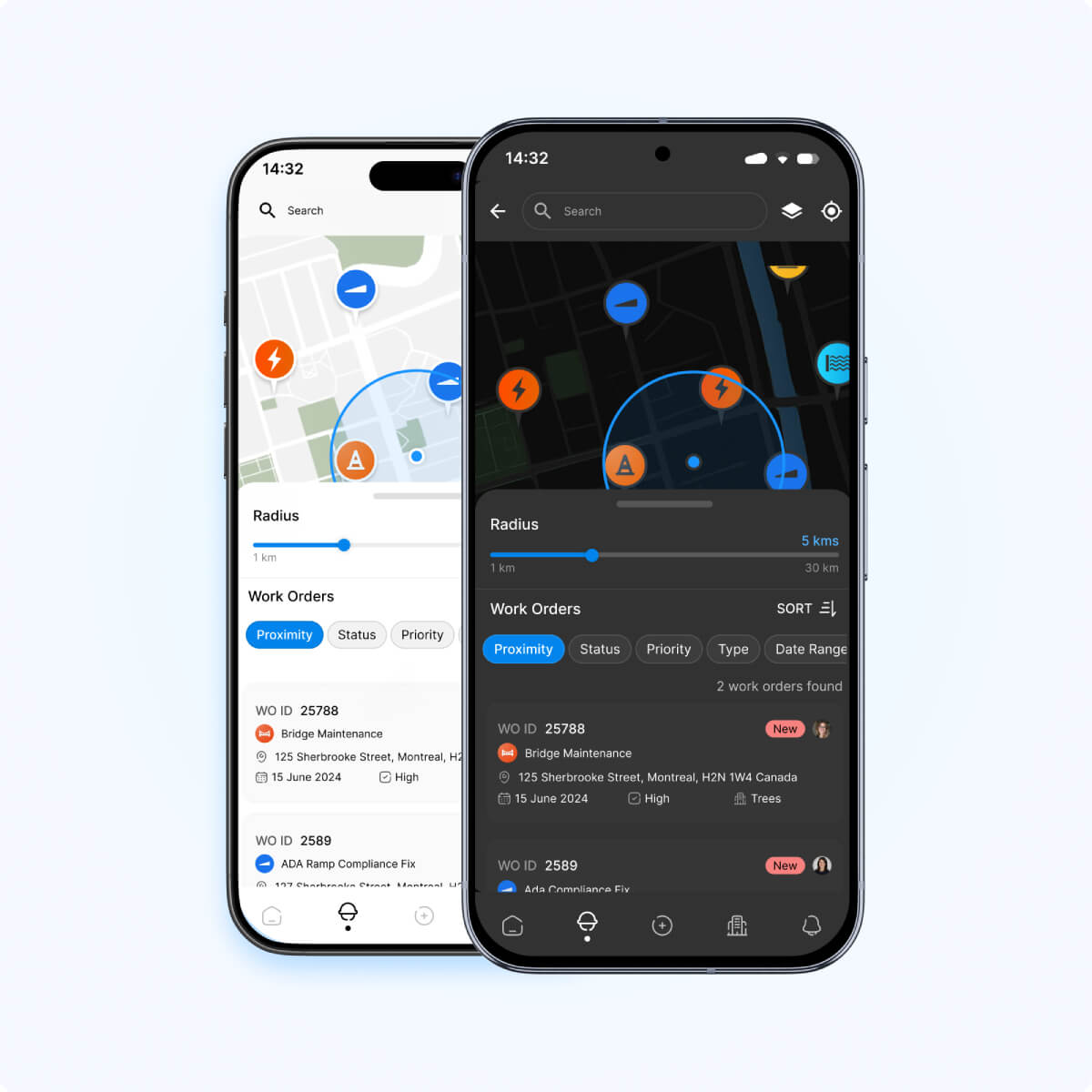
Two big ones for field teams. Global search now works across Work Orders and Inspections, so technicians can find anything by ID, address, assignee, status, or type right from their phone. And Group by Proximity clusters jobs by distance from the technician’s current location, which is a practical win for teams focused on route efficiency.
Also in This Release
We shipped sharper AI search with case-insensitive street-name matching, plus a batch of smaller improvements: UI fixes, Org Switcher fixes for Consultants, cleaner session handling across tabs, budgeting tooltips, and batch column editing in the Asset Editor.
A big thank you to the entire Citylogix development team. Every release is a reflection of their work, and this one is no different.
Questions about any of these updates? Reach out to your Citylogix contact or check in with our support resources.